When it is your turn in the draft, your team is on the clock. Making a pick takes three short steps: find the player, choose Draft, then confirm.
Do not want to wait for your turn? Build a Draft List and League Toolkit can make the pick for you. See Build your Draft List.
Make your pick
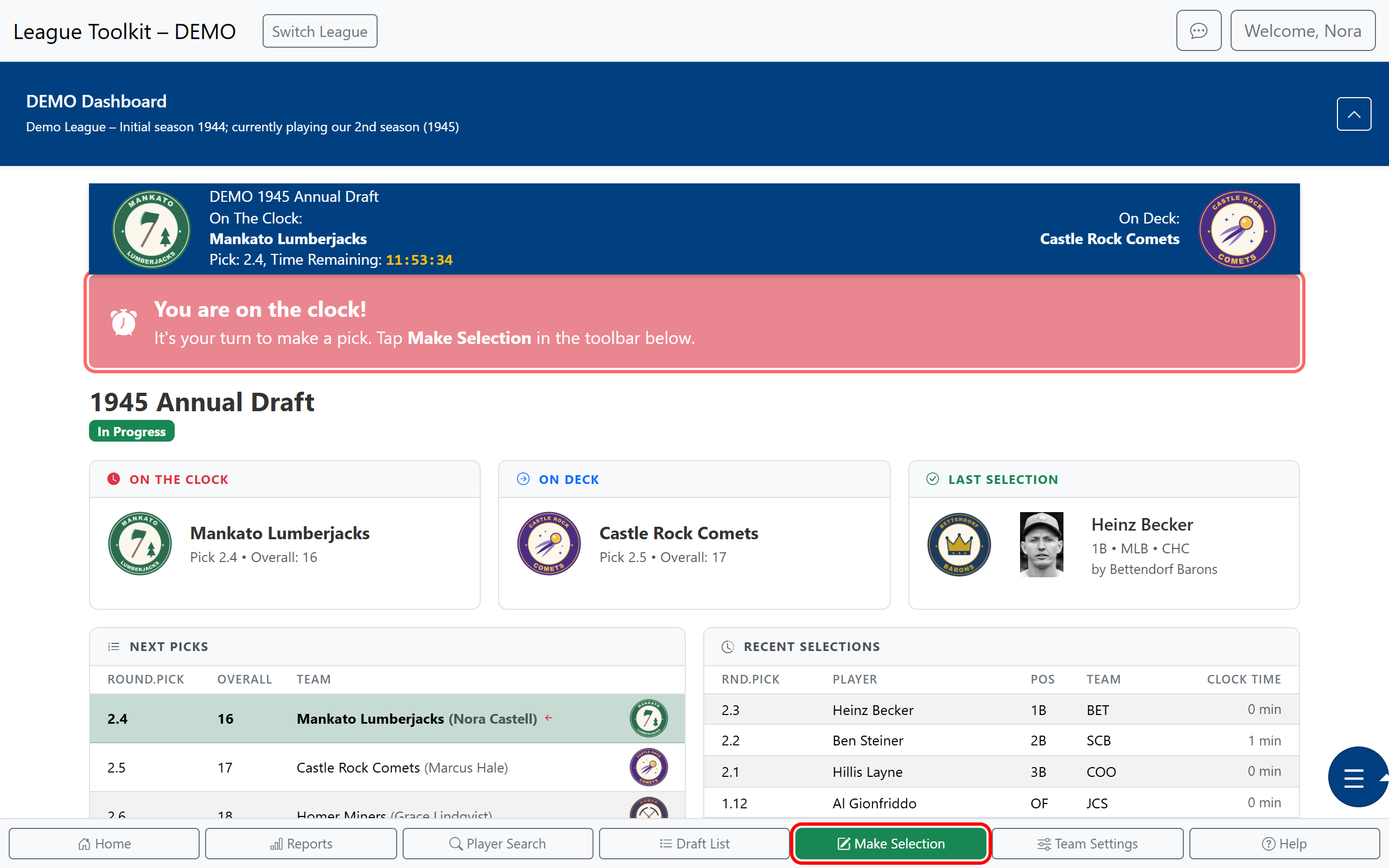
Open your league's draft page. When it is your turn, a red box at the top says You are on the clock!
In the toolbar at the bottom of the screen, choose Make Selection. The button is green when it is your turn.
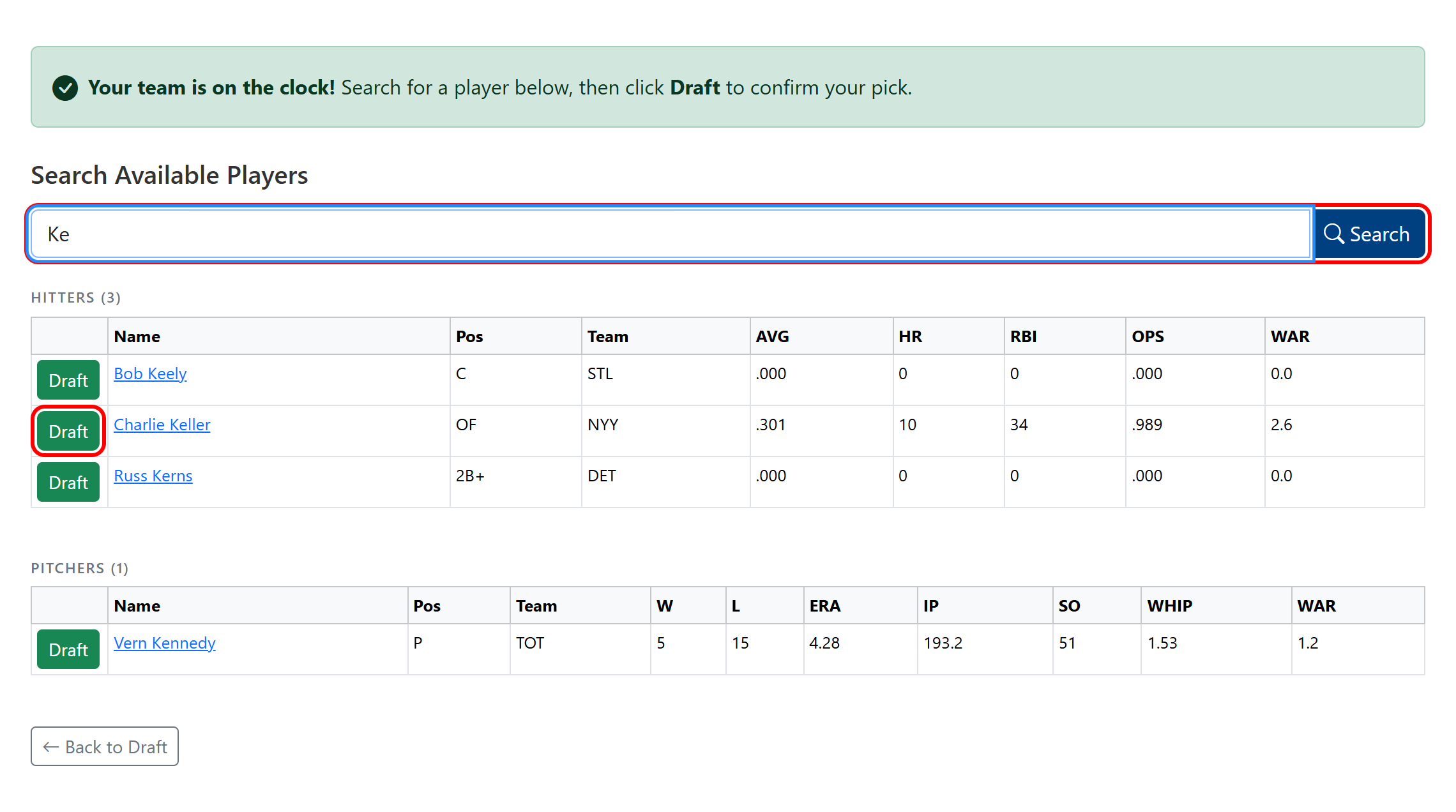
On the Make a Selection page, type the first letters of the player's last name in the search box (it says Search by last name, e.g. Keller), then choose Search. For example, "Kel" finds Keller.
Find your player in the results. Hitters and pitchers are listed separately. Choose the green Draft button next to his name.
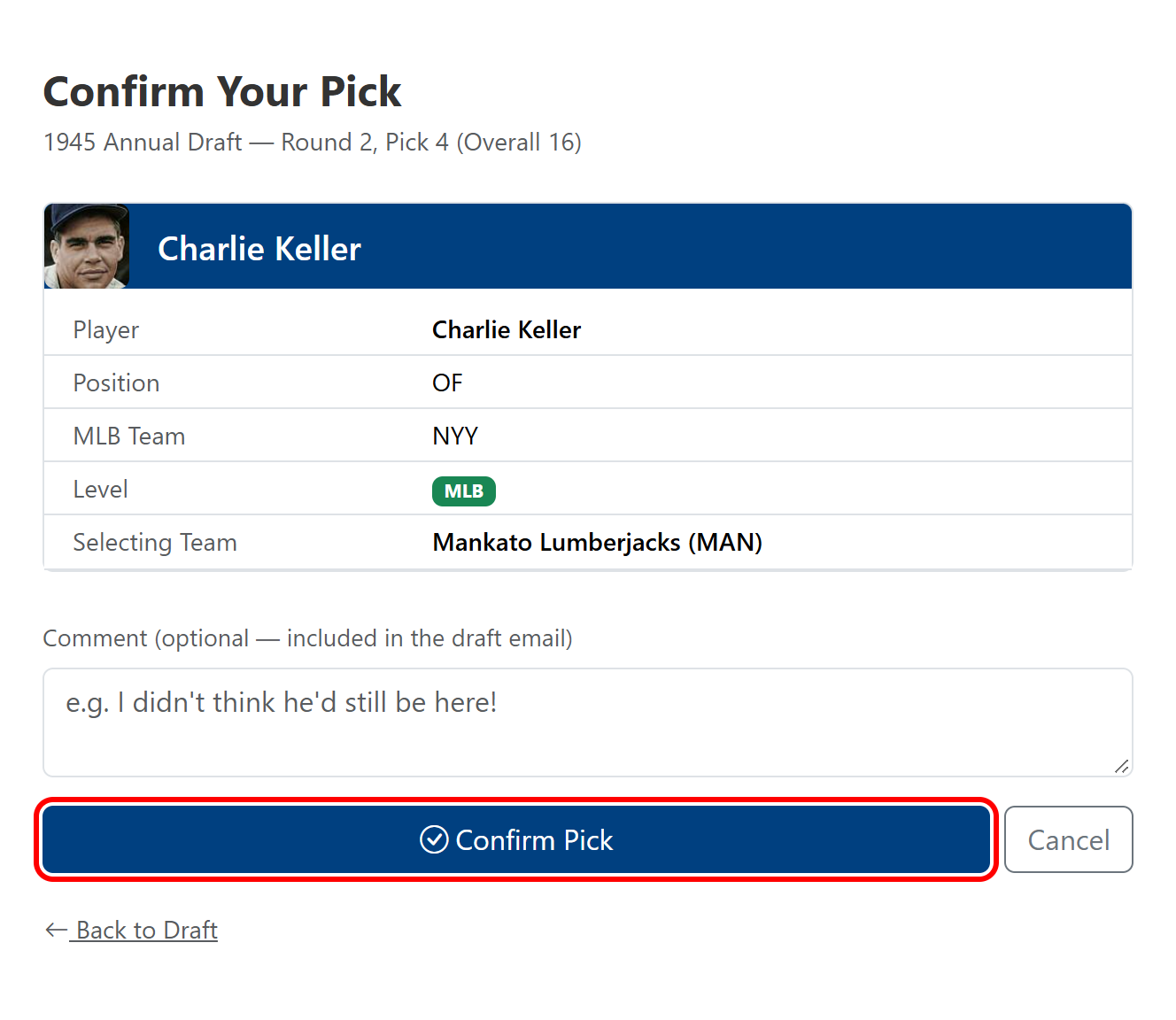
The Confirm Your Pick page shows the round and pick, the player, his position and team, and your team under Selecting Team. Check them.
If you like, type a note in the Comment box. It goes out in the draft email.
Choose Confirm Pick. Choose Cancel instead if you picked the wrong player: you go back to the search page and nothing is drafted.
After you confirm, you go back to the draft page. There is no "pick made" message. Look at the top of the page instead: your player shows under Last Selection, and the next team shows under On The Clock.

A pick cannot be undone by you. If you drafted the wrong player, contact your commissioner.
Search tips
- Search by last name only. A full name such as "Charlie Keller" finds nothing; the page then says the search matches the start of the last name and suggests trying just "Keller". Type "Keller" or just "Kel".
- Choose a player's name (not the Draft button) to open his player card in a new tab. This does not draft him.
- If you have starred players, the Make Selection page also shows Your Watch List below the search, with a Draft button next to each player. Players on your Draft List are shown in your Draft List order.
When it is not your turn
The red box does not appear, and Make Selection in the toolbar is grey and cannot be chosen.

You can still search for players and get ready. When your team goes on the clock, come back to the draft page and choose Make Selection.
If you run two teams in the league and the other team is on the clock, the button shows that team's initials, for example Make Selection (MAN). It makes the pick for that team.