Your commissioner can open two kinds of votes. On an awards ballot you pick one player for each award, such as MVP. On a Hall of Fame ballot you vote Yes or No on each candidate. Each team gets one vote.
How you find out a vote is open
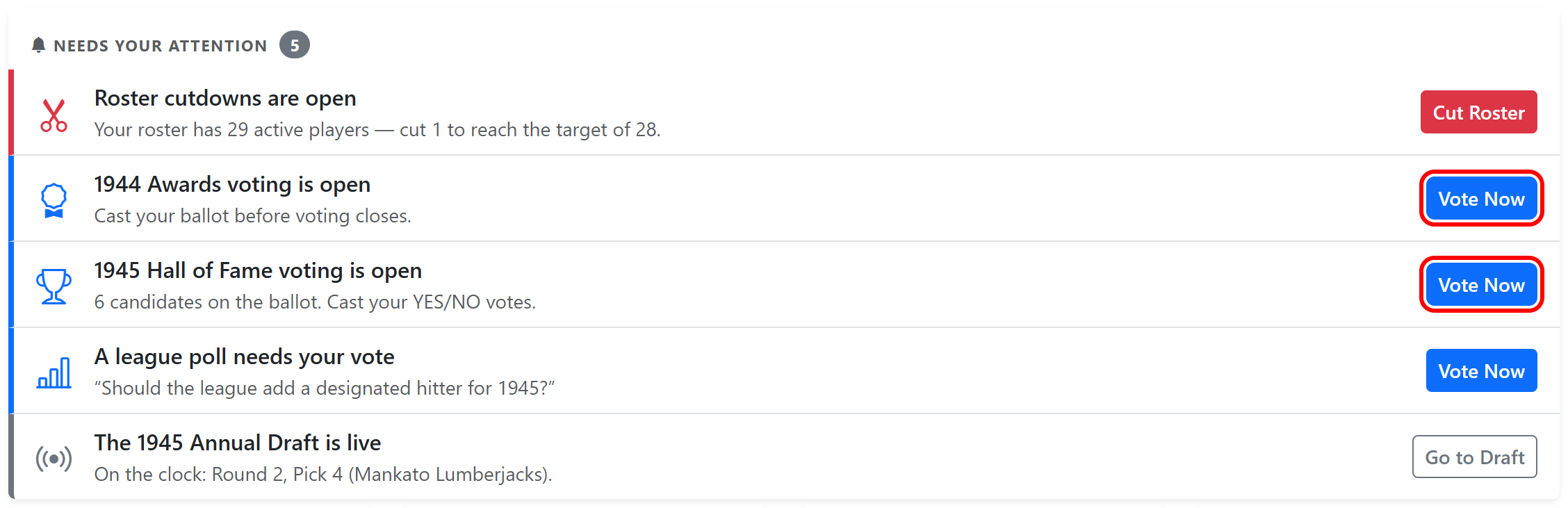
When a ballot opens, it shows on your league dashboard under Needs your attention, with a Vote Now button. If your league has a league email address, you also get an email with a link to the ballot.
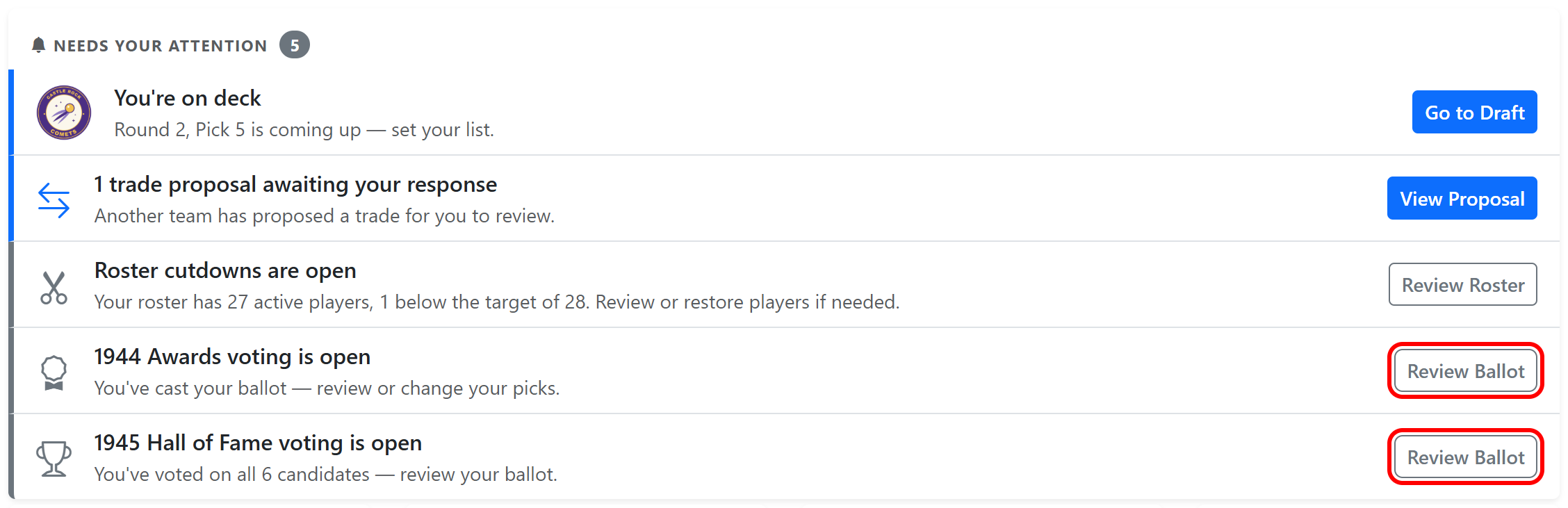
After you vote, the item turns grey and its button changes to Review Ballot. It stays until the commissioner closes the vote.
Vote for the awards
Choose Vote Now on the awards item. You can also choose the Awards tile on the dashboard. While voting is open, it reads "Cast Your Vote for League Awards".
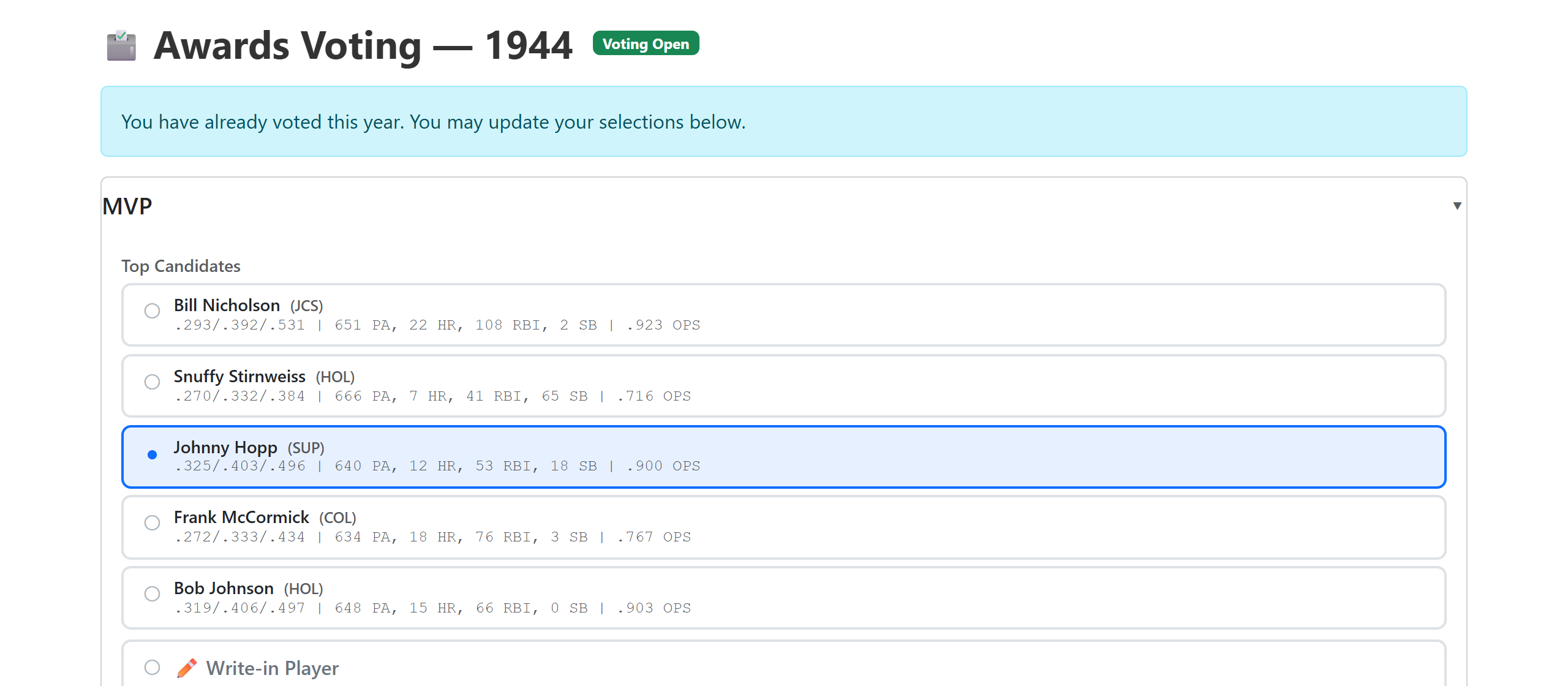
The Awards Voting page opens, with a Voting Open badge. The ballot takes a few seconds to load.
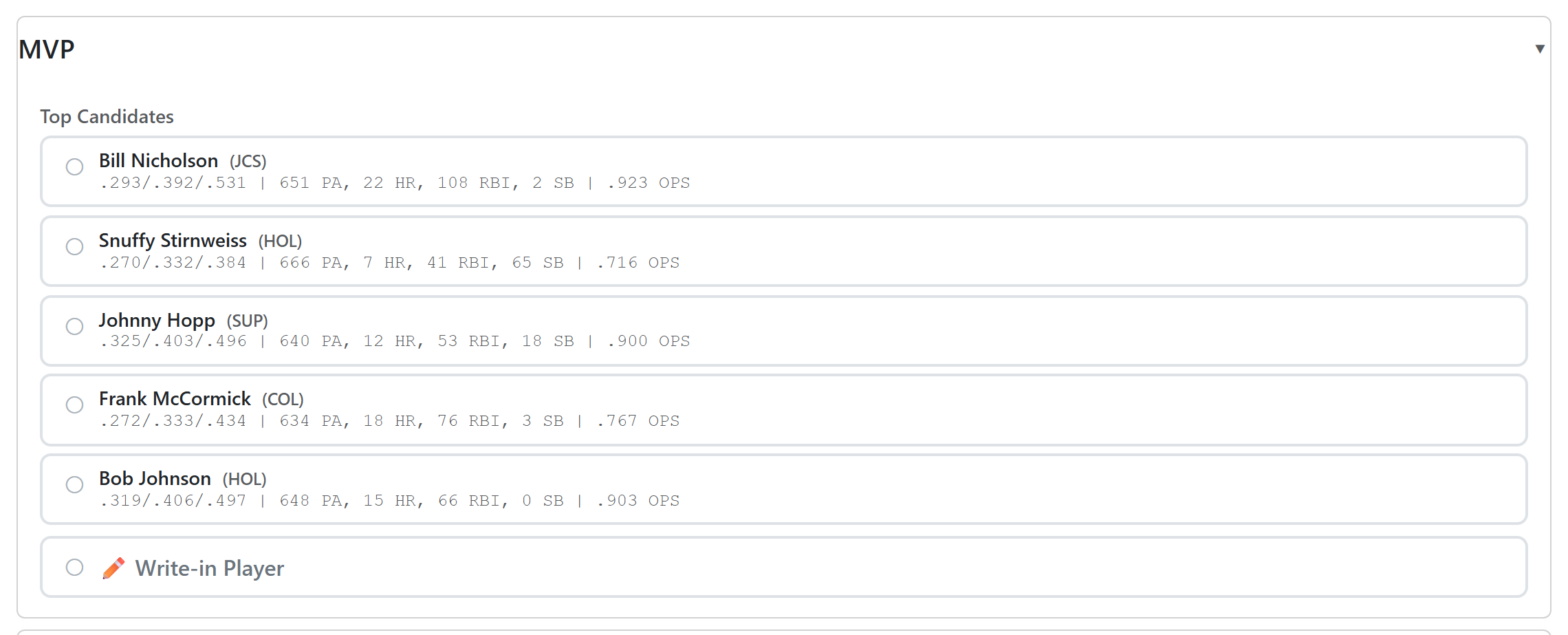
Each award has a card with its Top Candidates and each player's season stats. Choose a player's row to vote for him. The row turns blue.
Once you pick a player, that award's card folds up so you can move to the next one. Choose the award's name to open it again.
When you have picked a player for every award, choose Submit Votes at the bottom of the page.
The page shows "Your votes have been submitted."
Vote for someone not on the list
The top candidates are only a shortlist. You can vote for another player:
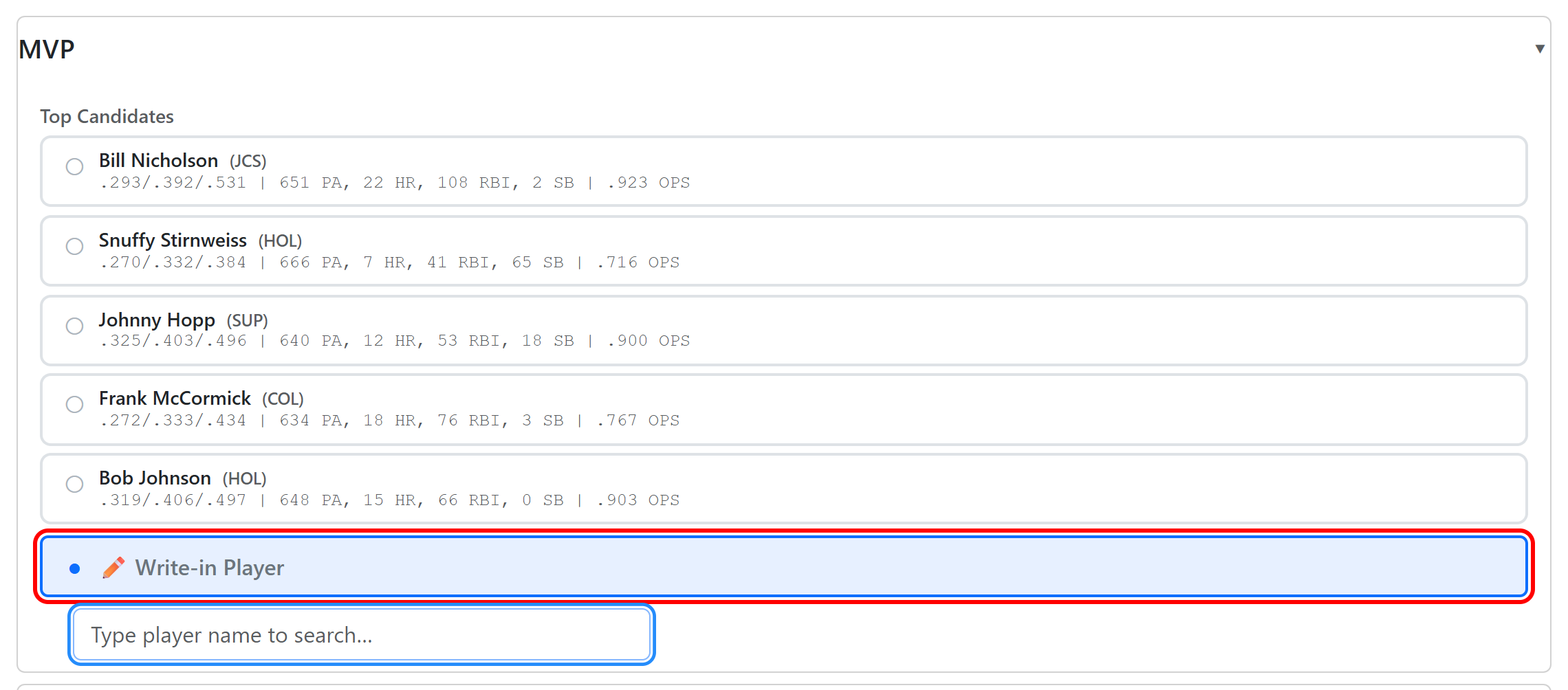
Choose Write-in Player at the bottom of the award's card. A search box opens.
Type at least two letters of the player's name or his team's initials.
Choose him from the list. "Selected:" and his name show under the box.
If you choose Submit Votes with an award left empty, a box lists the awards you skipped and asks whether to submit anyway. Choose OK to send the votes you made, or Cancel to go back and finish.
Change your vote
You can change your picks as long as voting is open.
- Open the ballot again. It says "You have already voted this year. You may update your selections below." Your current picks are shown in blue.
- Choose a different player for any award.
- Choose Update Votes at the bottom of the page.
You can switch a pick to another player, but you cannot take a pick back and leave that award empty.
See the results
Choose View Results at the bottom of the ballot to open Awards Results.
- While voting is open, the page usually says "Live results are hidden". Some commissioners choose to show the running vote counts instead.
- Once the commissioner finalizes the vote, the page shows each award's winner, marked with a trophy. Use Season to see other years.
- If the commissioner has closed voting but not finalized it yet, the page says "Voting is closed, but the results have not been finalized yet." Winners appear once the vote is finalized. An award nobody voted on says "No votes were cast."
Vote for the Hall of Fame
Choose Vote Now on the Hall of Fame item on your dashboard. You can also choose the Hall of Fame tile, then Vote Now in the banner at the top of the page.
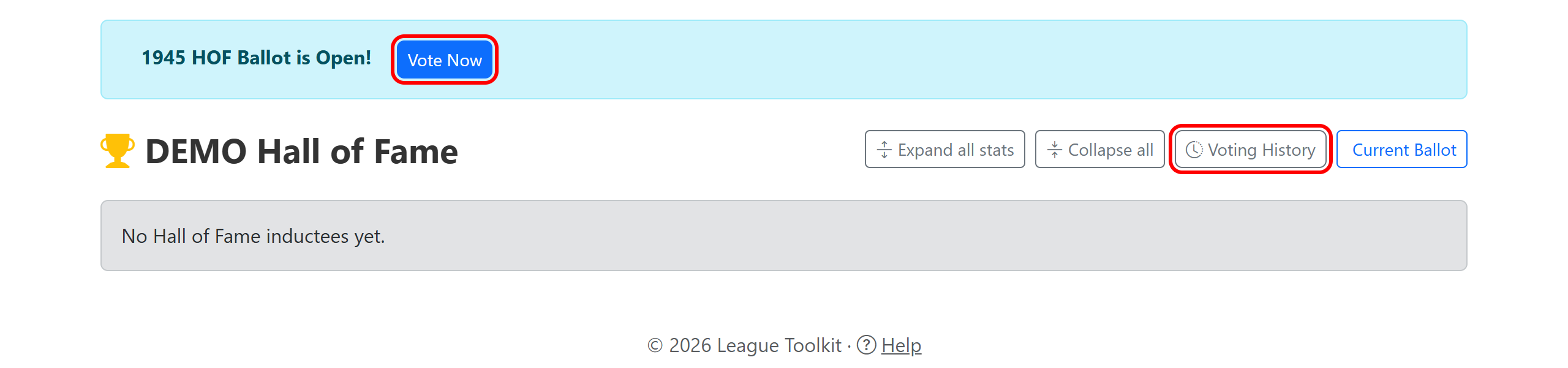
The ballot page opens, for example 1945 HOF Ballot, with an Open badge. The line under the title tells you how many Yes votes a player needs, for example "Induction requires 75% YES votes (9 of 12 minimum)".
Each candidate has a card with his photo, his career stats in your league, and badges. A badge like #2 H means he is second in your league's history in hits. Green badges are awards he has won.
Choose Yes or No on each candidate.
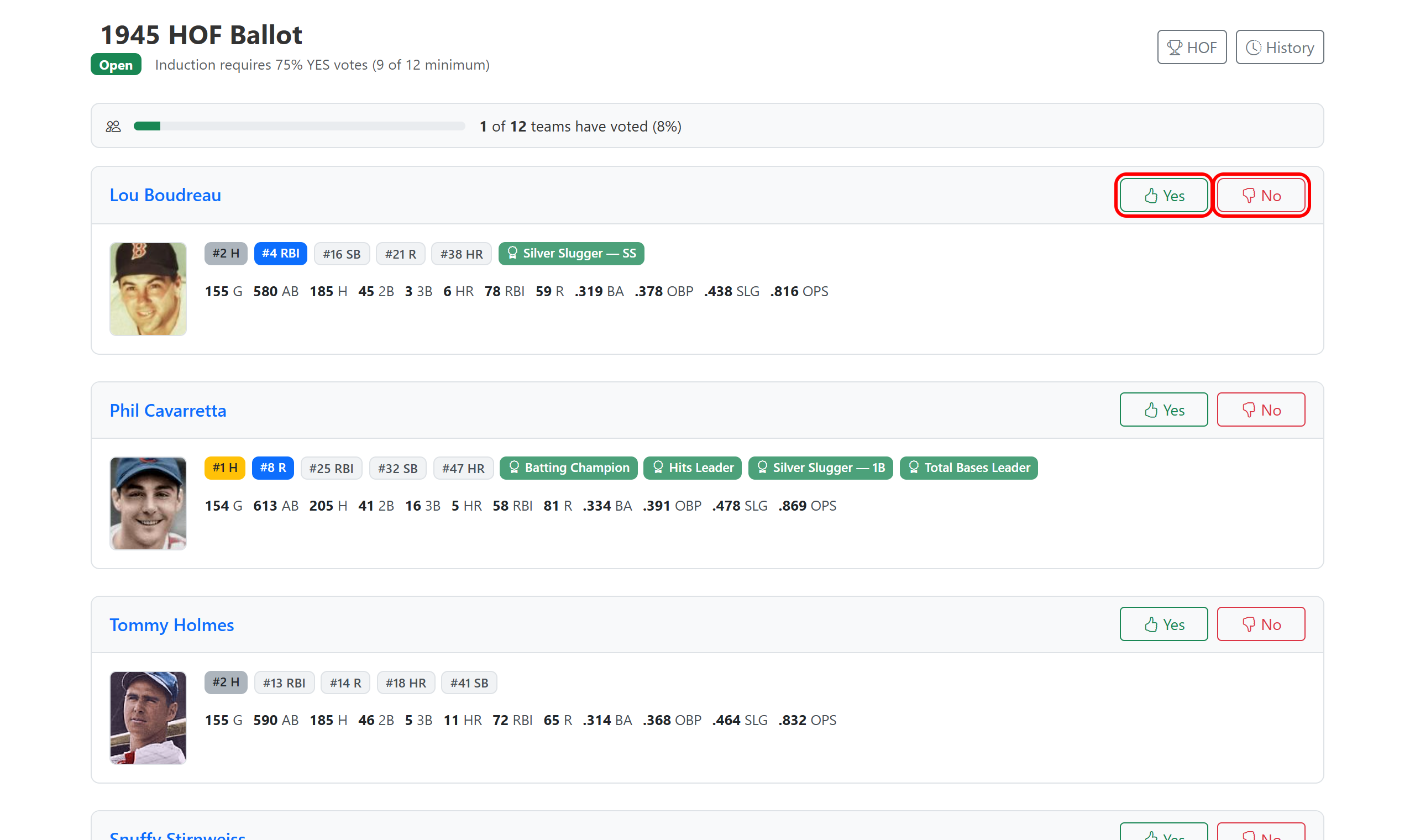
Each vote is saved the moment you choose it. The button you chose fills in with colour. There is no Submit button and no "saved" message. To change a vote, choose the other button.
Choose a candidate's name to open his player card in a new tab.
What counts as having voted
- The bar at the top ("1 of 12 teams have voted") counts your team as soon as you answer one candidate.
- Your ballot is only complete when every candidate has a Yes or a No. Until then, your dashboard item tells you how many candidates you have voted on so far, and the commissioner sees your team on the list of incomplete ballots.
- A candidate you do not answer counts the same as a No. Induction is worked out from all of the league's teams, not just the ones that voted.
The "Ballot is Open" banner and the Current Ballot button on the Hall of Fame page stay there until the vote closes, even after you have voted.
Some leagues show the running Yes and No counts, or how each team voted, while the ballot is open. Your commissioner decides this. In those leagues, a candidate who has enough Yes votes so far shows At or above 75% so far (with your league's number). Nobody is inducted until the commissioner closes the ballot.
Voting History
On the Hall of Fame page, choose Voting History. Pick a year to see how each candidate on that year's ballot did: his YES, NO and Did Not Vote counts, his YES%, and whether he was Inducted or Not Inducted. Players who were inducted are listed on the Hall of Fame page itself.
While a ballot is still open, its year says "Voting for 1945 is still in progress. Results will be shown here once the ballot is closed." (with your year), and each player shows Voting in progress with no counts. In leagues that show results during voting, the counts are there as a running tally, and each player still shows Voting in progress.
For how the commissioner runs these votes, see Run awards voting and Run a Hall of Fame vote.