Your league can ask its owners questions with a poll, for example a rule change. Every owner gets one vote per poll, and you can change your vote until the poll closes.
Vote
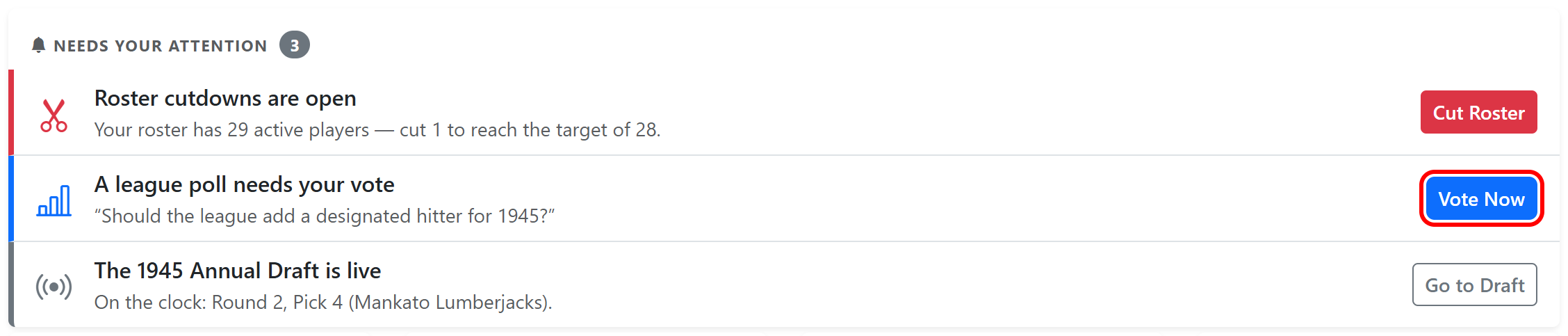
When there is a poll you have not voted in, your league dashboard shows A league poll needs your vote in the Needs your attention list, with the question underneath. Choose Vote Now.
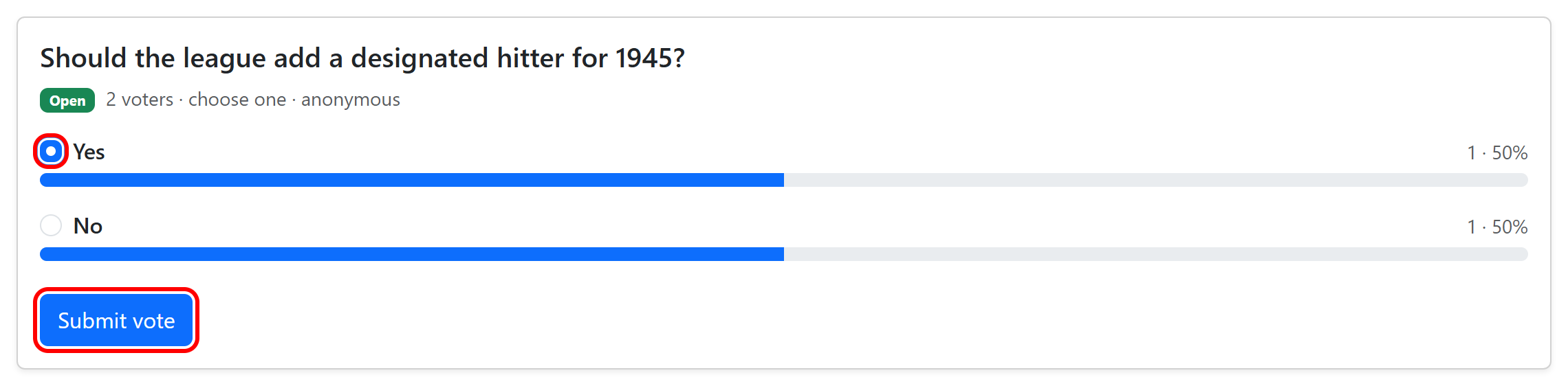
The poll opens. Under the question you see whether it is Open, how many owners have voted, and whether you may choose one answer or choose one or more. anonymous means nobody sees who voted for what; votes are visible means the names are shown under each answer.
Choose your answer. If the poll says choose one or more, tick every answer you want.
Choose Submit vote.
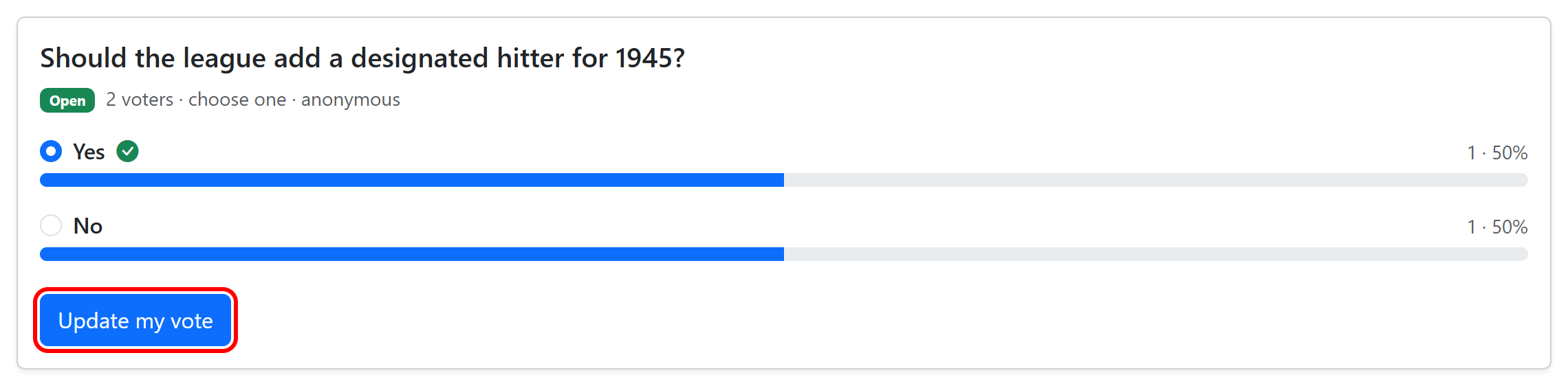
The message Your vote was recorded. appears next to the button, and the counts and bars update. A green tick shows next to your answer.
You can also vote from the Polls tab. Choose Archives & Polls on the dashboard, then the Polls tab, or choose Polls in the round menu button at the bottom right. Every poll is listed there with its own Submit vote button.
Change your vote
- Open the poll again (from the Polls tab, or from the link in the poll email if your league sent one).
- Your current answer is already chosen, and the button now reads Update my vote.
- Choose a different answer, then choose Update my vote. Your new answer replaces the old one.
You can change your vote, but you cannot take it back completely. Once a poll is Closed, voting stops and only the results are shown.
If you run two teams in the league, you still have one vote per poll.
Start a poll
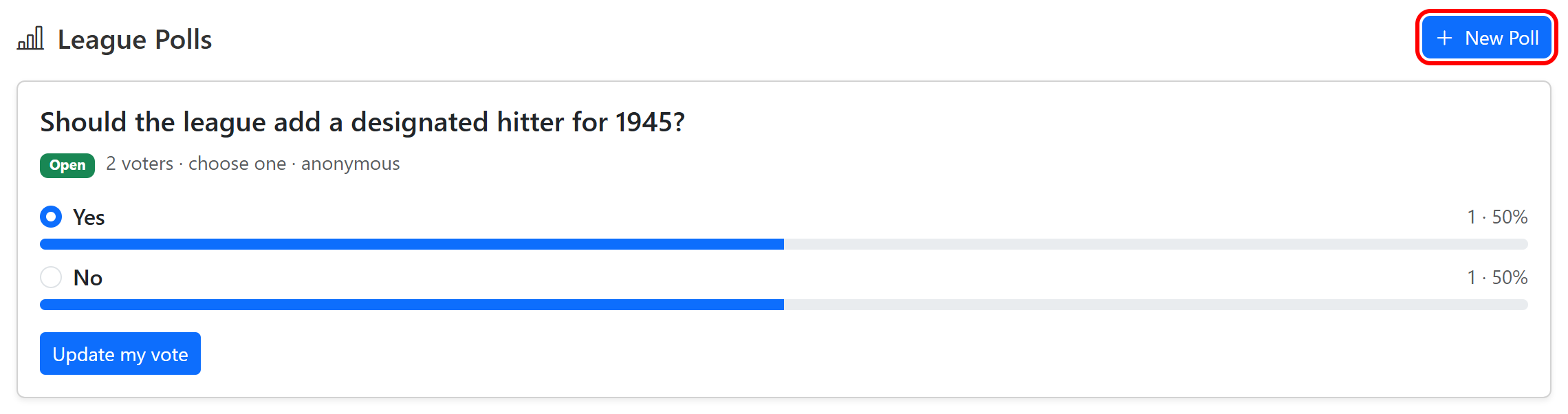
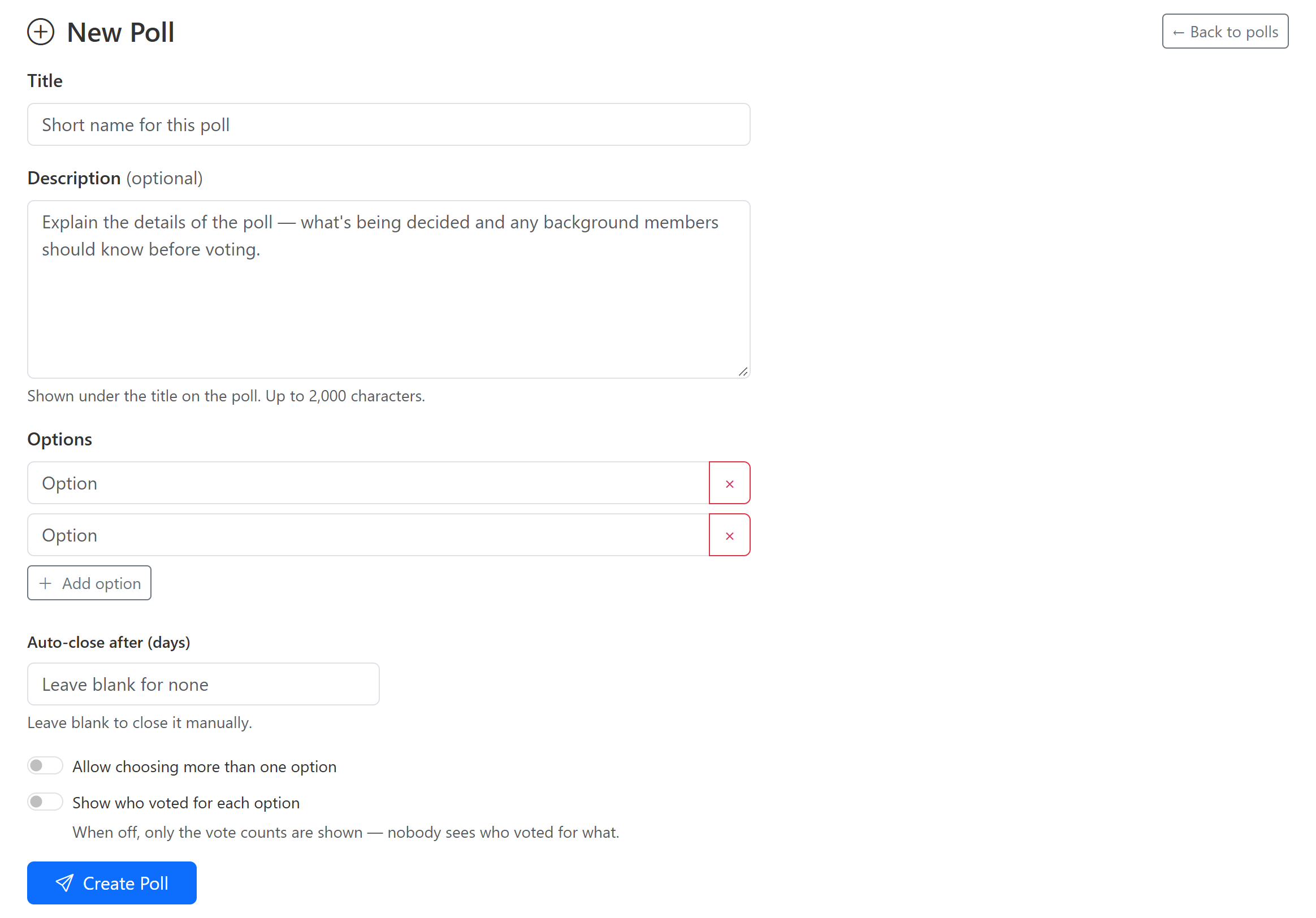
If your league lets owners create polls, the Polls tab has a New Poll button. If you do not see it, only your commissioner can create polls in your league.
Choose Archives & Polls on the dashboard, then the Polls tab.
Choose New Poll.
In Title, type the question, for example "Should the league add a designated hitter?".
If you like, explain the background in Description (optional). It is shown under the title.
Under Options, type the answers owners can choose, one per box. You need at least two. Choose Add option for another box, or the red × to remove one.
In Auto-close after (days), type how many days the poll stays open. Leave it blank and the poll stays open until your commissioner closes it.
Turn on Allow choosing more than one option if owners may pick several answers.
Turn on Show who voted for each option if owners should see who voted for what. When it is off, only the counts are shown.
Choose Create Poll.
You go back to the Polls tab with the message Poll created. Your new poll is at the top of the list. If your league has a group email address, the league also gets an email about the new poll with a link to vote.
Only your commissioner can close or delete a poll, including one you created. Check your title and options before you choose Create Poll, and set Auto-close after (days) if you want the poll to end by itself.